
What Size Screen Protector Do You Need? A Complete Measuring Guide
07 January 2026 · Richard Sands
What Size Screen Protector Do You Need? A Complete Measuring Guide
Buying a TV screen protector isn’t just about picking a size that looks right — it has to fit your screen perfectly. A protector that’s too small leaves edges exposed, while one that’s too big may not install correctly. In 2025, ensuring your protector fits your TV is the first step to preventing TV damage and protecting your investment.
This guide from The TV Screen Protector explains how to measure your TV accurately, choose the right protector size, and ensure your screen stays safe from kids, pets, and everyday accidents.
Step 1: Know Your TV Size (Diagonal Measurement)
TVs are measured diagonally from corner to corner. This is the standard size you see in product specifications, e.g., 55”, 65”, or 75”.
Tip: Always measure the actual viewable screen area, not including bezels, to ensure a perfect fit with a screen protector. Not all 65" will have the same dimensions so go to the closest cm fit on our website.
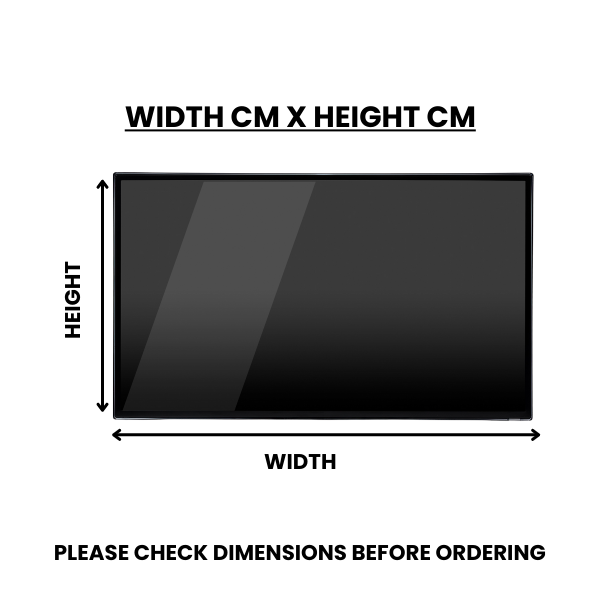
Step 2: Measure Width and Height
-
Use a tape measure to determine the width (left to right) and height (top to bottom) of your TV screen.
-
Note down the dimensions in centimetres — most screen protectors are sold in metric sizes.
Why this matters: Some TVs have unique aspect ratios, so diagonal size alone may not give a precise fit.
Step 3: Consider the Protector Type
Different protectors have slightly different tolerances:
-
Standard Clear (2mm)
-
Anti-Glare (3mm)
-
Ultima Clear (4mm)
Step 4: Account for Edge Protection
Decide how much of the edges you want covered. Some families prefer full edge coverage for maximum protection, while others leave 1–2cm margins for aesthetic reasons.
-
Full coverage: maximum protection from impact
-
Partial coverage: easier installation, less visible
Step 5: Double-Check Your Measurements
Before ordering, measure twice:
-
Width and height at multiple points
-
Screen diagonal
-
Compare against protector dimensions provided by the manufacturer
Tip: Always round up slightly if in doubt — it’s better for the protector to be slightly larger than too small.
Step 6: Consider Special TV Shapes
Curved or ultra-wide TVs may require custom-fit protectors. The TV Screen Protector offers a range of sizes and custom options to suit non-standard TVs.
Step 7: Installation Tips
-
Clean your screen thoroughly before applying
-
Align protector edges carefully
-
Smooth out air bubbles as you go
-
Use included installation guides or kits
Conclusion
Choosing the right size for your TV screen protector is simple if you follow these steps. Measure your screen, pick the correct protector type (Standard, Anti-Glare, Ultima Clear), and double-check your dimensions. A properly fitted protector keeps your screen safe from scratches, impacts, and pets — saving you hundreds in repairs.